
Channels
Last updated:
1 min read
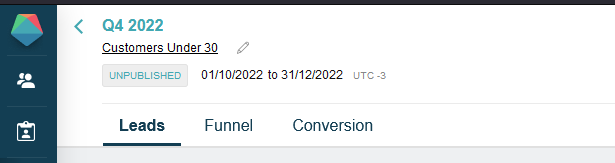
Each campaign in Prisma uses one or more channels to reach customers. Channel configuration is done in the Leads tab of the campaign (Prisma’s internal name for channel configuration). Each channel can be toggled on or off independently — you can activate one or several.
Channel types
| Channel | Type | What you need | Setup guides |
|---|---|---|---|
| Outbound | A configured email provider and a field with email addresses | Add email content · SMTP · Mailgun · SendGrid | |
| SMS | Outbound | A configured SMS provider and a field with mobile numbers | Add SMS content · Twilio |
| Push Notification | Outbound | A configured push provider and a field with device tokens | Add push content · Push provider setup |
| Direct Mail | Outbound | A configured Direct Mail provider (e.g. PostGrid) and a field with mailing addresses | Direct mail setup |
| Banner | Inbound / Display | A placeholder defined in Settings and a JavaScript snippet on your website or app | Add banners |
| Pop-up Window | Inbound / Display | A popup placeholder defined in Settings | Add banners |
| Referral Links | Outbound / Tracking | Generated per campaign, shared via other channels | Create referral links |
| Business Events | Event-triggered | Triggered by specific events in your platform (e.g. a purchase, a login) | — |
Outbound channels require a contact address field per customer. Inbound and display channels are shown to customers who visit your website or app and don’t require a stored address. Providers for outbound channels are configured in Settings before they can be used.
What’s next
Once channels are configured, you define what the customer experiences after entering the campaign — that’s the funnel.
For help designing your channel content, see:
- Sending Your First Email — a step-by-step tutorial for email campaigns
- Adding Banners — how to build and assign banner content to a campaign
 Related Articles
Was this article helpful?
On this page