
Orchestration
Orchestration is the section in Prisma where you schedule outbound communications. Once a campaign is published and its channel is active, you come here to decide when and how often a message is sent.
Orchestration is separate from the campaign itself: the campaign defines who receives the message and what it says; Orchestration defines when it goes out.
The Planning tab
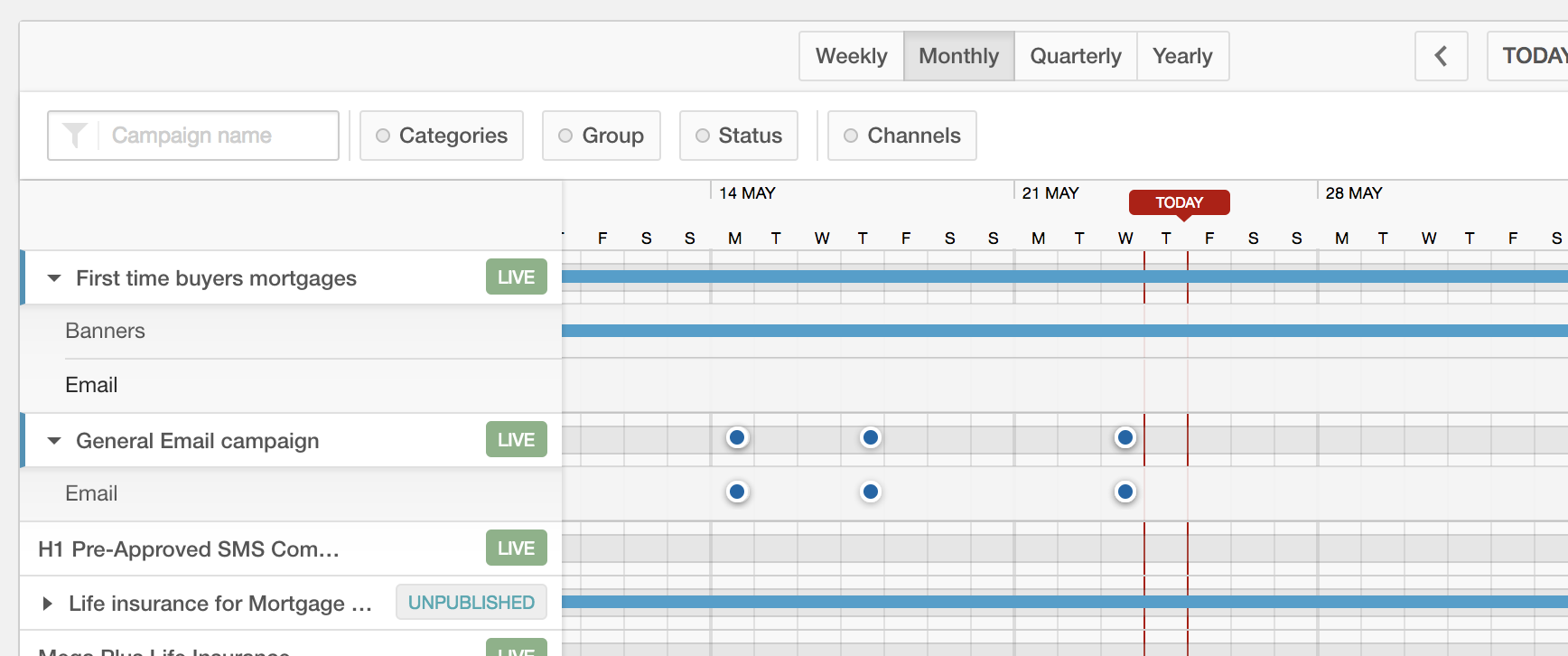
Before scheduling, Orchestration > Planning gives you a timeline view of all active campaigns across channels — useful for spotting overlaps and avoiding over-contacting customers in a given period.
The Calendar
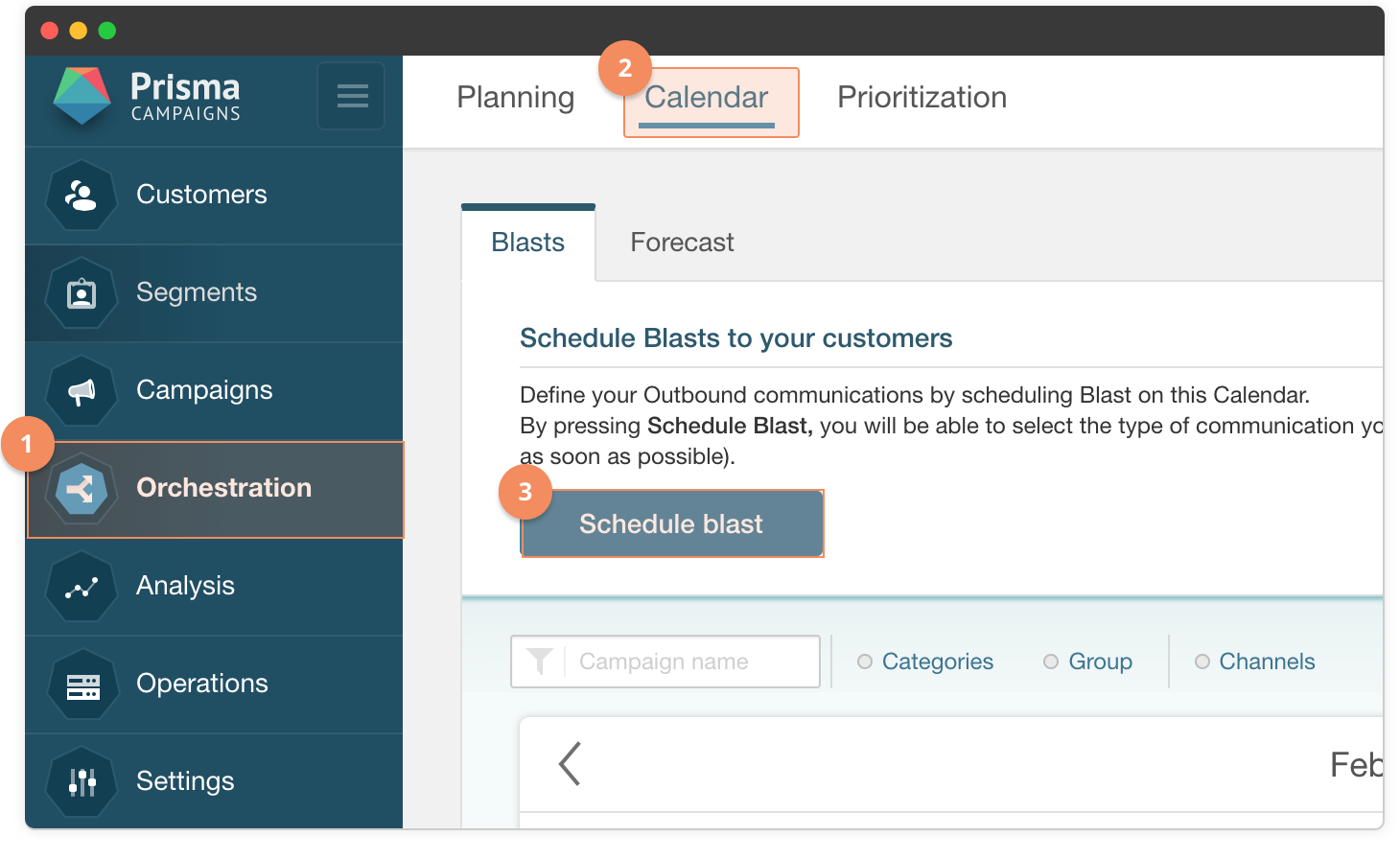
Go to Orchestration > Calendar to see all scheduled blasts across your campaigns. Each entry on the calendar shows the campaign name, channel, and status — including whether the campaign is ready to send or still missing configuration.
Scheduling a blast
Click Schedule Blast to open the scheduling dialog:
- Channel — select Email, SMS, Push, or Direct Mail.
- Campaign — select the campaign whose content will be sent. If the campaign isn’t fully configured, the dialog shows a NOT READY warning and will not send until resolved.
- When — choose As soon as possible or By Date (and pick a day and start time).
- Repeat — choose Never for a one-time send, or set a recurrence (daily, weekly, monthly) and an end condition.
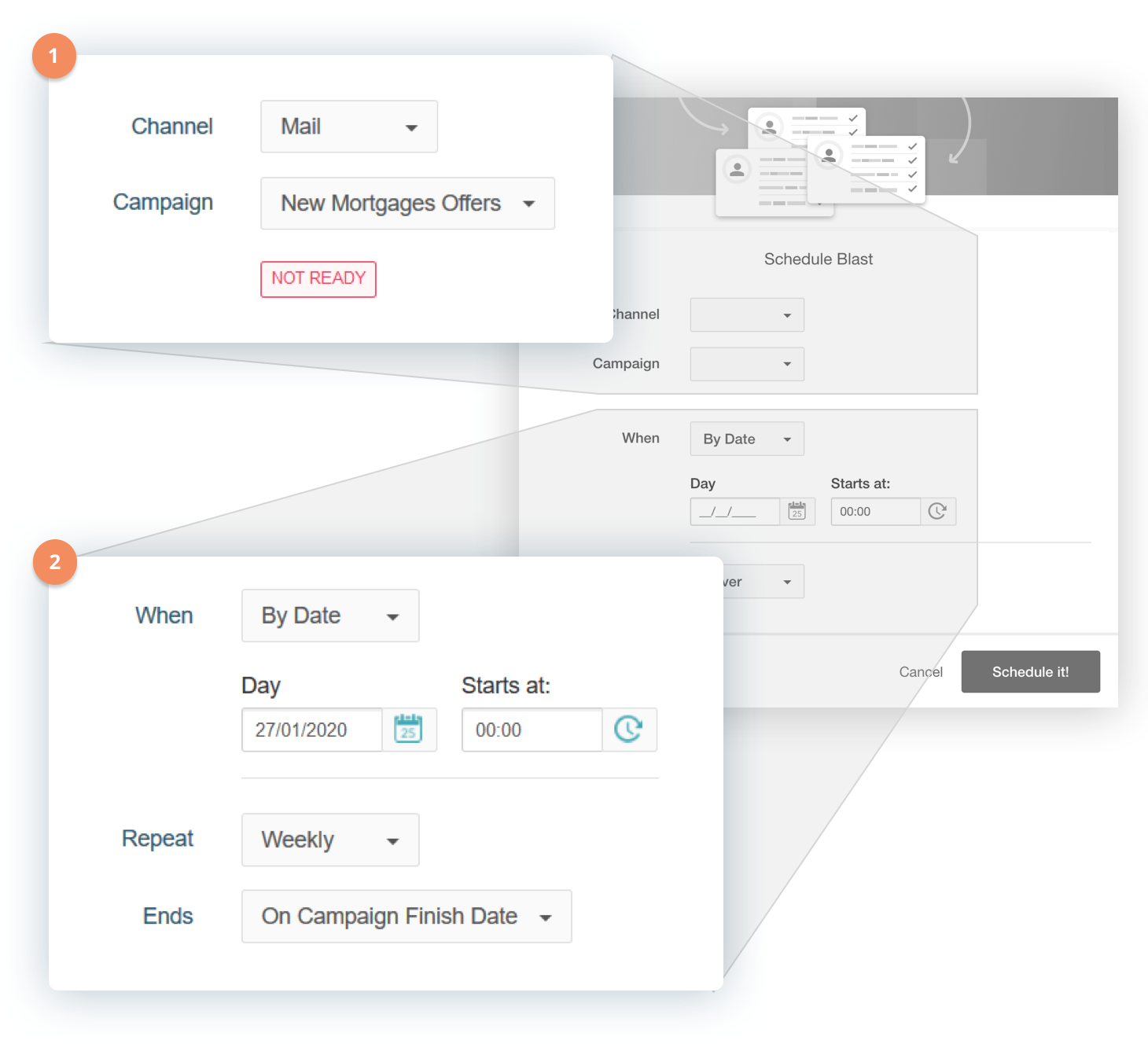
Click Schedule it! to confirm. The blast appears on the calendar immediately.
Blast status
Each scheduled blast shows a status dot on the calendar. Clicking a blast opens a summary with its channel, scheduled date, recurrence, and current status:
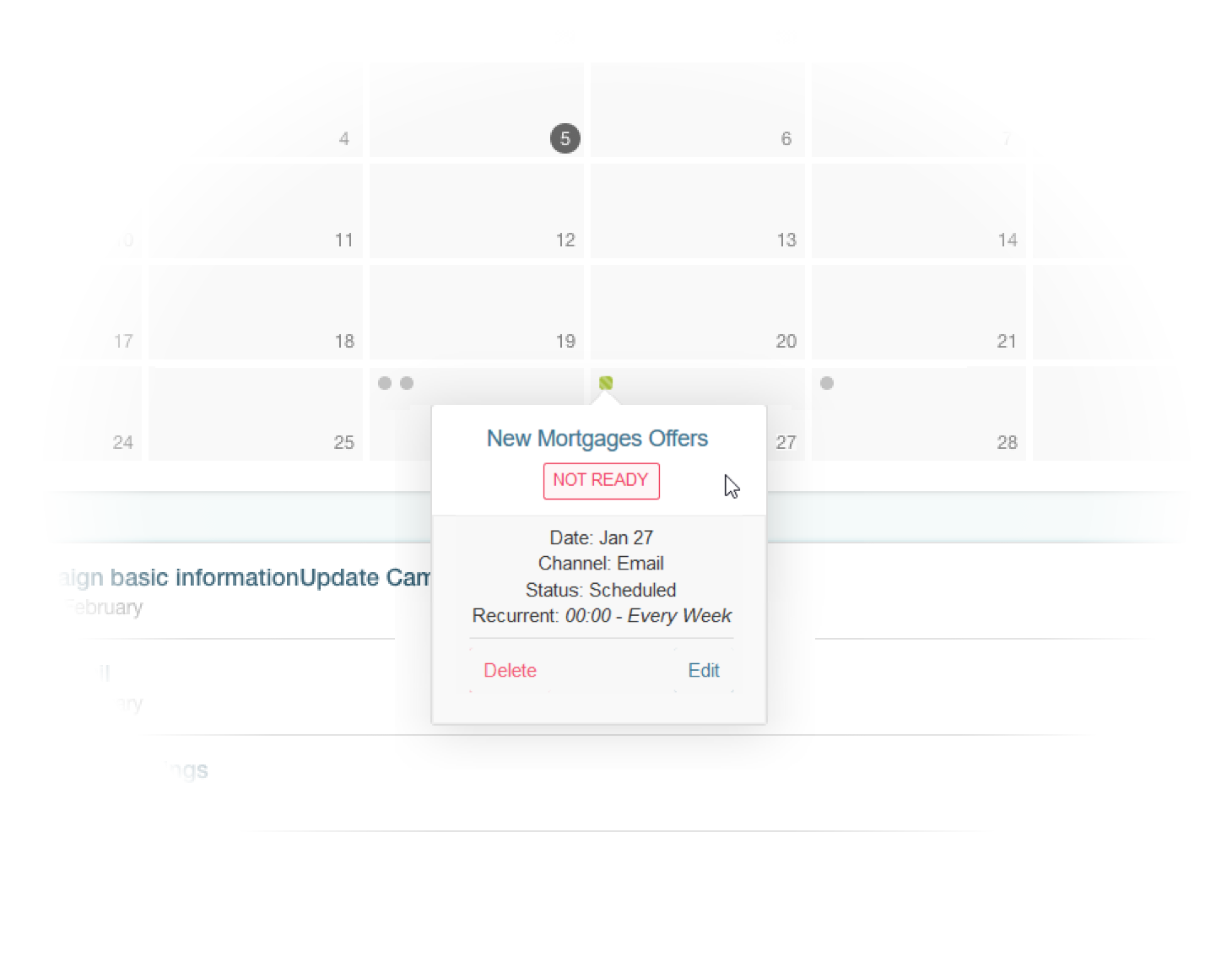
A blast marked NOT READY means the campaign is missing something — typically the channel content hasn’t been designed or the campaign isn’t published. Fix the campaign and the blast will automatically become ready for the next occurrence.
Other blast types
Beyond a standard blast, Orchestration also supports:
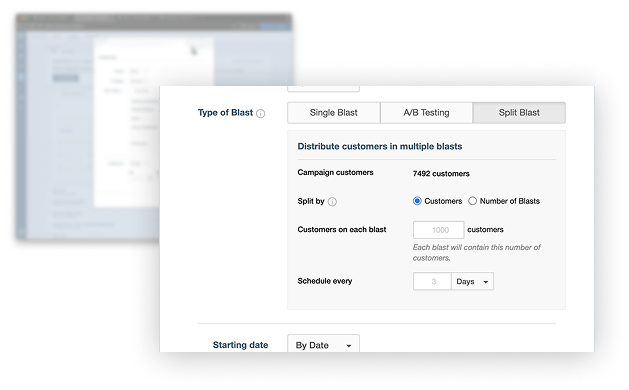
- Split Blasts — divide a single blast into multiple waves or groups by contact count, each receiving the same message — useful for controlling send volume and timing
- A/B Testing Blasts — test two versions of a message against each other with a defined sample, then automatically send the winner to the rest of the segment
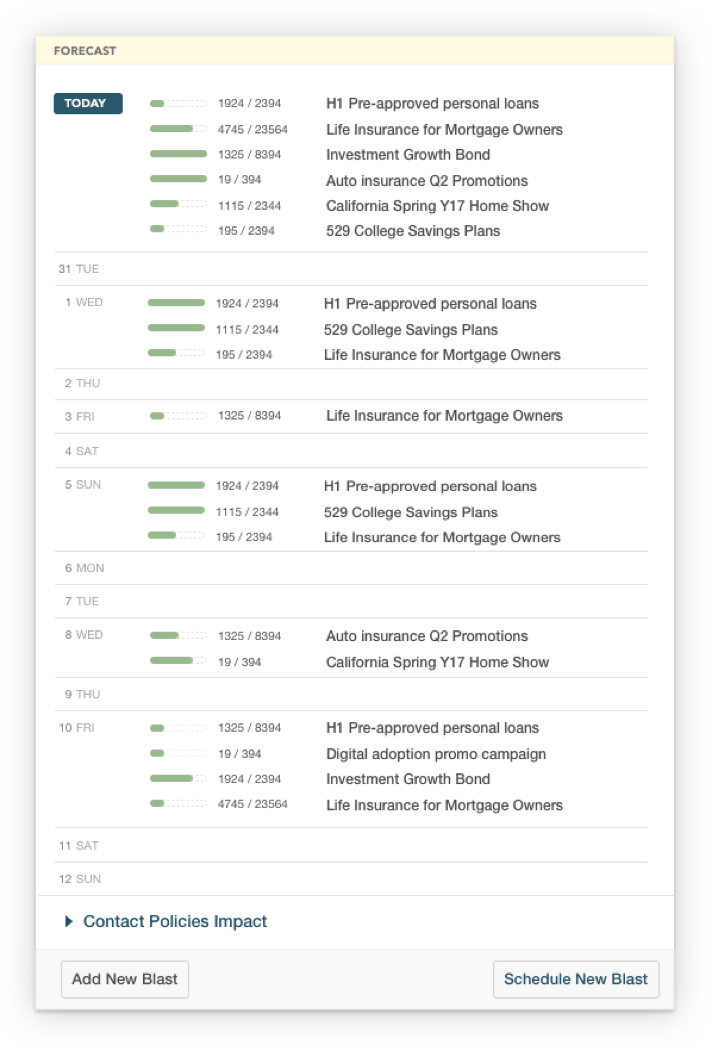
Orchestration also provides a Forecast view showing how many customers will be reached over the next 14 days based on the current schedule and communication policies:
These are covered in the how-tos under Orchestration.
What’s next
Orchestration handles blast scheduling for single campaigns. When you need to send a series of coordinated messages over time — for example, a welcome sequence for new customers — that’s what Campaign Flows are for.
 Related Articles
Was this article helpful?
On this page