
Data Model
The data model is where you define the shape of your customer information in Prisma. Think of it as a template: before you load any data, you decide what fields each customer record will have — things like name, email, date of birth, or any business-specific attribute like account balance or membership tier.
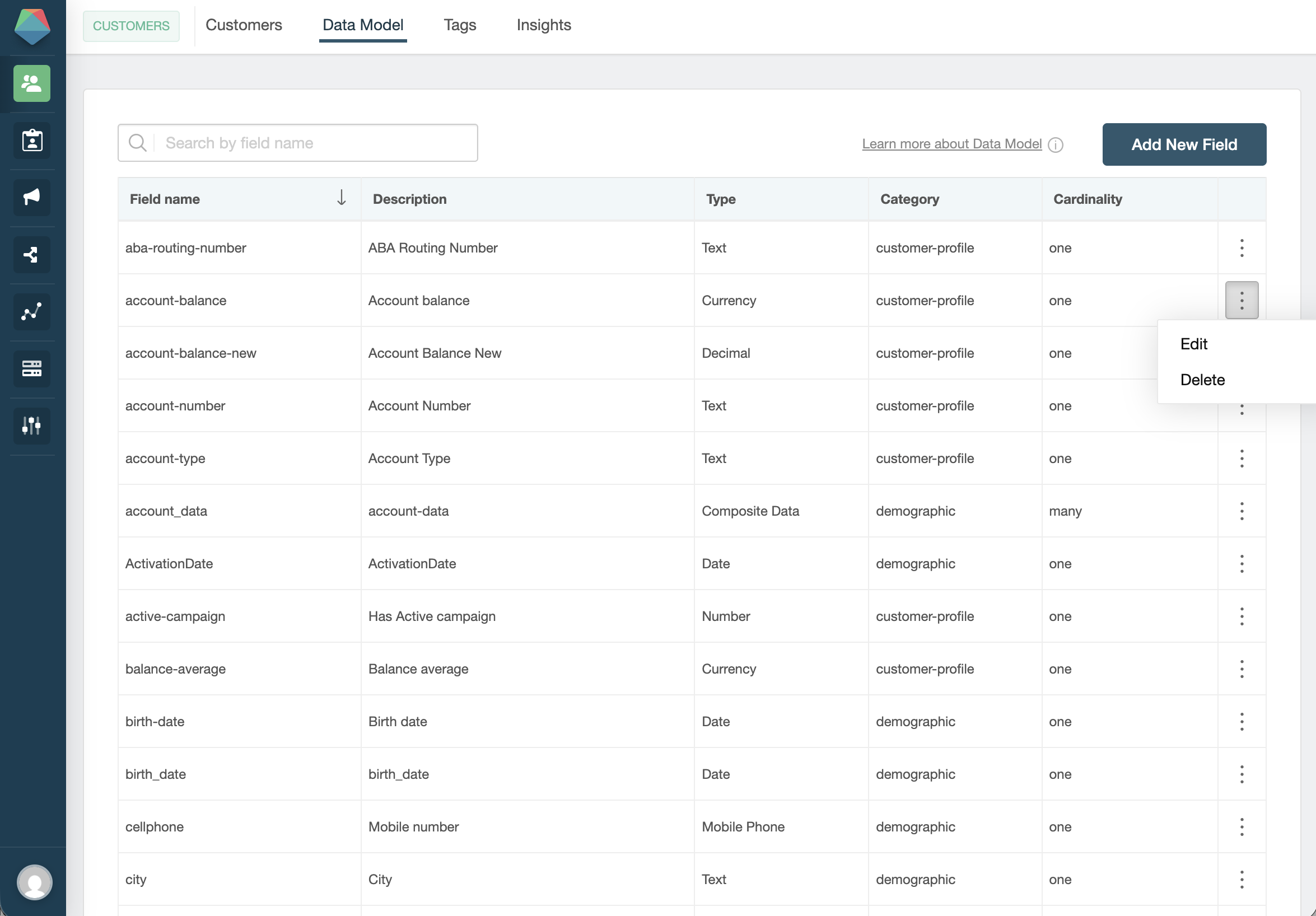
Fields
Each piece of customer information lives in a field. When creating a field, you choose:
-
ID — an identifier used internally (e.g.
account_balance,last_login). Use lowercase and underscores, no spaces. -
Type — the kind of data the field holds. Common types are:
Type Use for Text Names, codes, any free-form string Number Integers (age, number of products) Decimal Amounts, balances, rates Date Dates in YYYY-MM-DD format Email Email addresses For the complete list of available types, see the Field Types reference.
-
Cardinality — whether the field holds a single value (
One) or multiple values (Many). UseManyfor things like product lists, where a customer can have more than one.
Avoid duplicate fields. Before creating a new field, check if one already exists for the same concept. For example, if
email_addressfor the same purpose. Duplicate fields cause confusion during data loading and segmentation, and split your customer data across two places.
Categories
Fields are organized into categories that help you find them when building segments:
- Demographic — general information about the person (age, city, gender)
- Customer Profile — business-specific data (products, account type, balance)
You assign a category when creating the field.
Field validation
Optionally, you can add a validation rule to a field to prevent incorrect data from being loaded. For example, you might restrict a birth_date field to only accept dates after January 1, 1900.
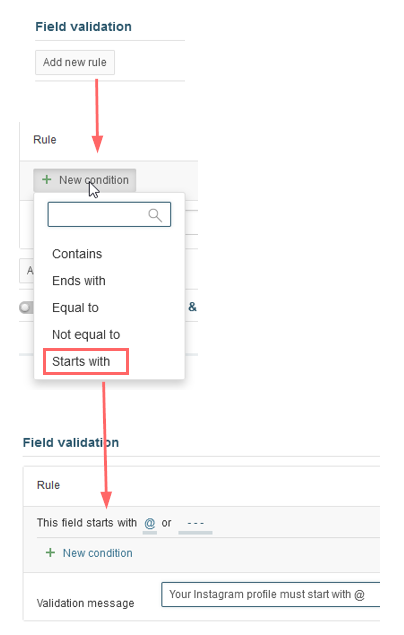
When a record fails validation during a data load, Prisma shows an error message indicating which field rejected the value:

 Related Articles
Was this article helpful?
On this page