
Customer Journey
While the Analysis section shows aggregate data across all customers, Prisma also lets you trace exactly what happened for a specific person. This is useful for troubleshooting delivery issues, verifying that a campaign is working correctly for an individual case, or understanding why a customer did or did not receive a communication.
Open any customer from the customer list and you’ll find two tabs dedicated to this: Journey and Active Campaigns.
The Journey tab
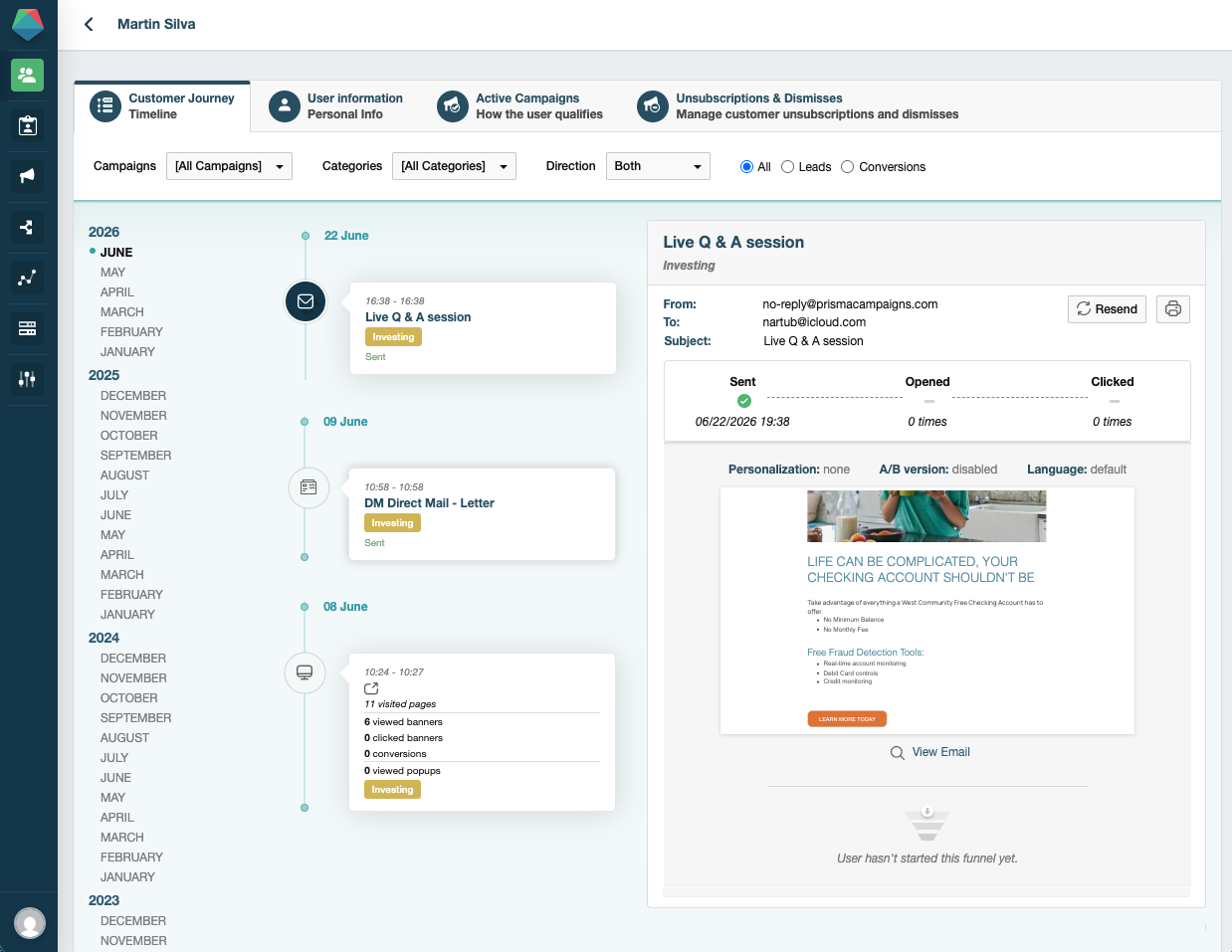
The Journey tab shows a chronological history of every interaction Prisma has recorded for that customer across all channels.
The history includes:
- Campaigns the customer entered
- Messages received (email, SMS, push, banner)
- Links clicked and funnel steps completed
- Conversions
- Subscription cancellations and dismissed communications
You can filter the history by campaign, category, or month, and toggle between inbound and outbound communications to focus on what you need.
Clicking the detail icon next to any entry opens a full record with the exact date, channel, and metadata for that interaction:
The Active Campaigns tab
The Active Campaigns tab lets you check which campaigns a customer currently qualifies for and review their history within each one.
Select a campaign from the dropdown to see:
- Whether the customer is currently in the segment for that campaign
- Which segments were involved when they qualified
- Their previous interactions with that campaign, including completed funnel steps from each engagement
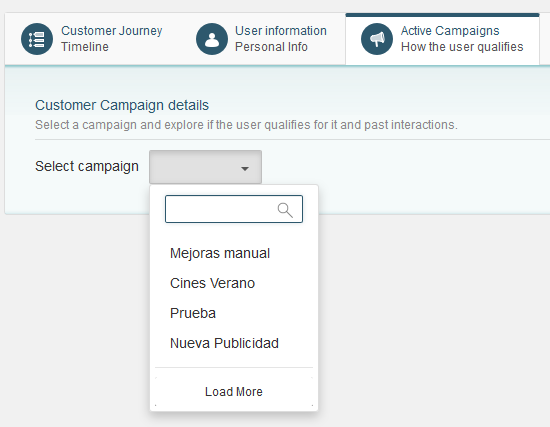
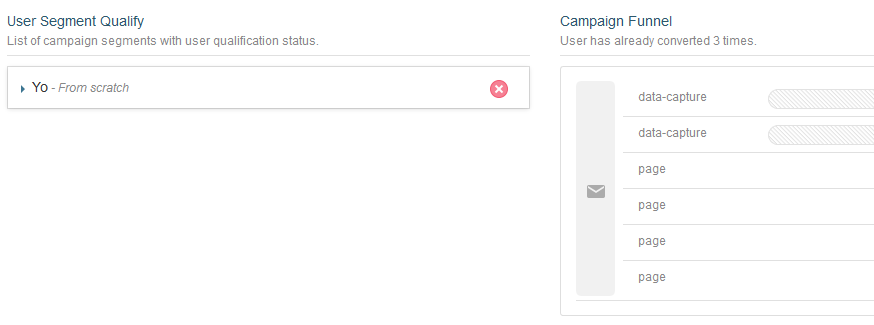
This is the right place to investigate why a customer is or isn’t receiving a communication from a specific campaign, or to verify that funnel progression is happening as expected.
When to use this
- A customer reports they didn’t receive an email → check Journey for the outbound event and Active Campaigns for segment qualification
- A customer is getting too many messages → check Active Campaigns to see how many campaigns they’re enrolled in and cross-reference with Communication Policies
- A campaign conversion isn’t registering → check Journey for the funnel steps the customer completed
- An audit requires a record of what was sent to a specific customer → in the Journey tab, find the outbound interaction and use the Export option to download the exact message that was delivered to them
 Related Articles
Was this article helpful?
On this page