
Tyfone (Push Notifications)
If your digital banking app is powered by Tyfone, Prisma Campaigns can send push notifications to your customers or members through Tyfone directly from a campaign. This is an alternative to configuring push through Prisma’s own Firebase/Apple certificates.
Setting up Tyfone
-
From Tyfone (or through your Prisma Campaigns representative, if Tyfone was provisioned on your behalf), obtain:
- Base URL of your institution’s Tyfone API (for example,
https://api.tyfone.com). - Client ID and Password for the Tyfone API.
- FI Token: the Financial Institution Token Tyfone uses to identify your institution.
- Base URL of your institution’s Tyfone API (for example,
-
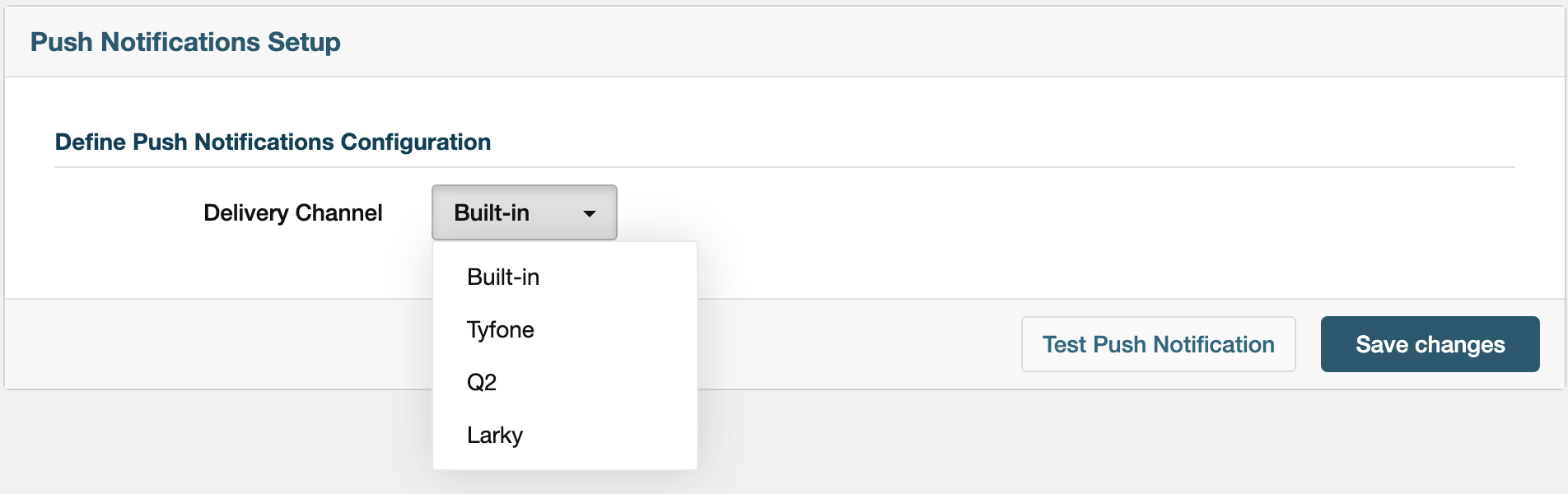
In Prisma Campaigns, go to Settings → Push Notifications Setup and choose Tyfone as the Delivery Channel:
-
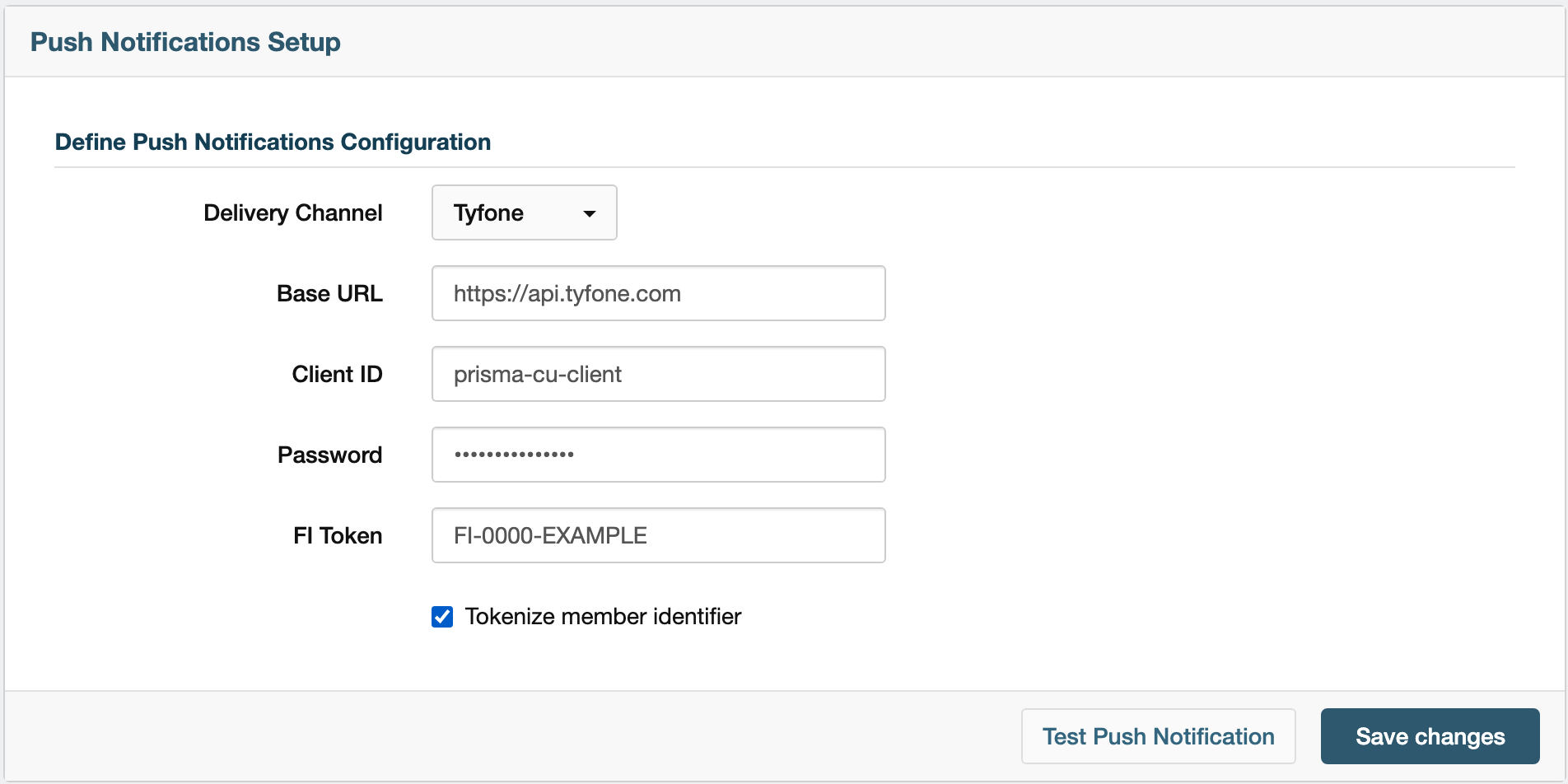
Enter the Base URL, Client ID, Password, and FI Token you obtained from Tyfone.
Check Tokenize member identifier if Tyfone expects a token instead of the raw identifier. When this option is on, Prisma Campaigns first asks Tyfone to convert each recipient’s identifier into a token, and then sends the notification to that token.
-
Click Save changes.
Tyfone identifies each recipient by the value of the id field in your Prisma Campaigns data model. Make sure that field holds the same unique identifier Tyfone uses for each customer or member in your digital banking app. Otherwise, Tyfone won’t be able to find the recipient’s device.
Testing the Configuration
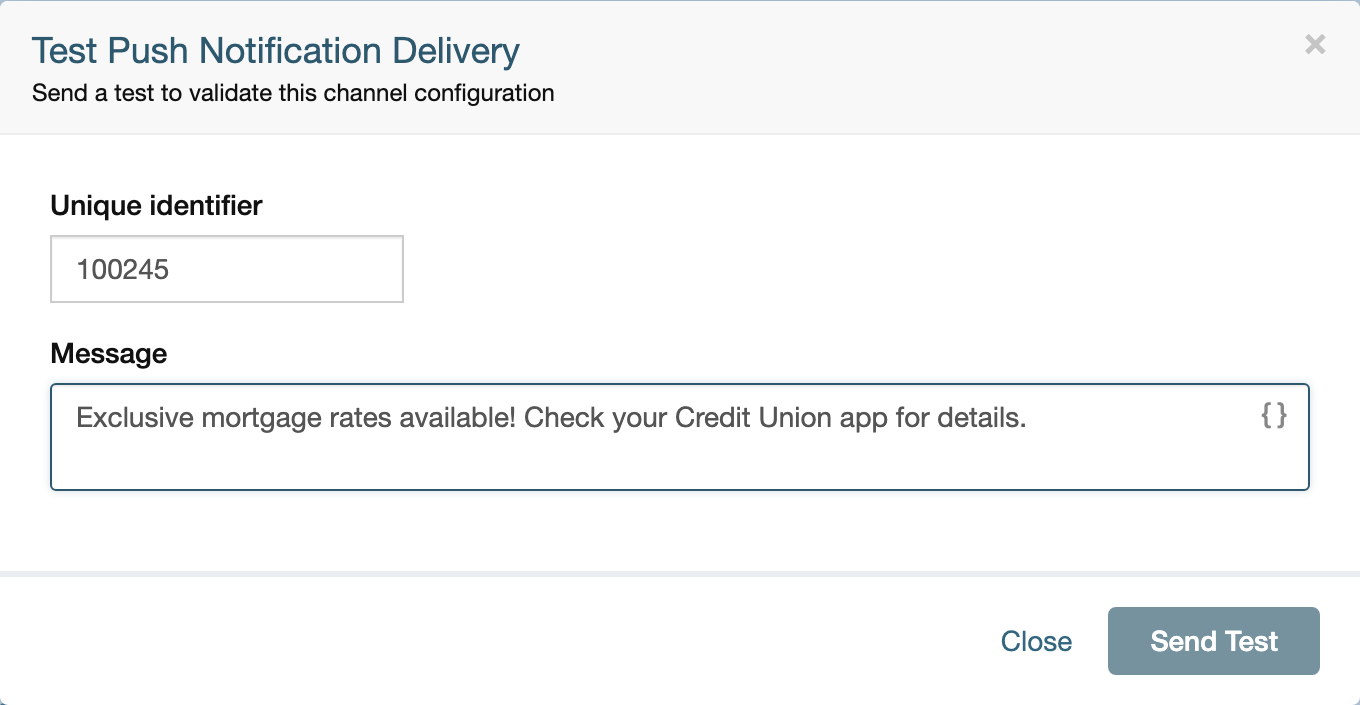
Once the configuration is saved, click Test Push Notification to send a one-off push through Tyfone without waiting for a campaign to run. Enter a Unique identifier matching the id value of a real customer or member and a Message, then click Send Test:
Besides Tyfone, Prisma Campaigns also supports Larky and Q2 as push notification delivery channels, alongside the built-in Firebase/Apple certificate setup.
Once saved, you can start using this channel to contact your customers or members. Go to Adding Push Notifications in a Campaign for further instructions.
 Related Articles
Was this article helpful?
On this page