
Changing the Customer Subscription Status
Last updated:
1 min read
With Prisma, you can view and potentially change the subscription status of a given member or customer. To do so, you can leverage the Customer Journey as follows:
Go to Customers and search for the member or customer of interest.
Select the customer from the table and navigate to the Unsubscriptions & Dismisses tab.

The result should be similar to the image below:
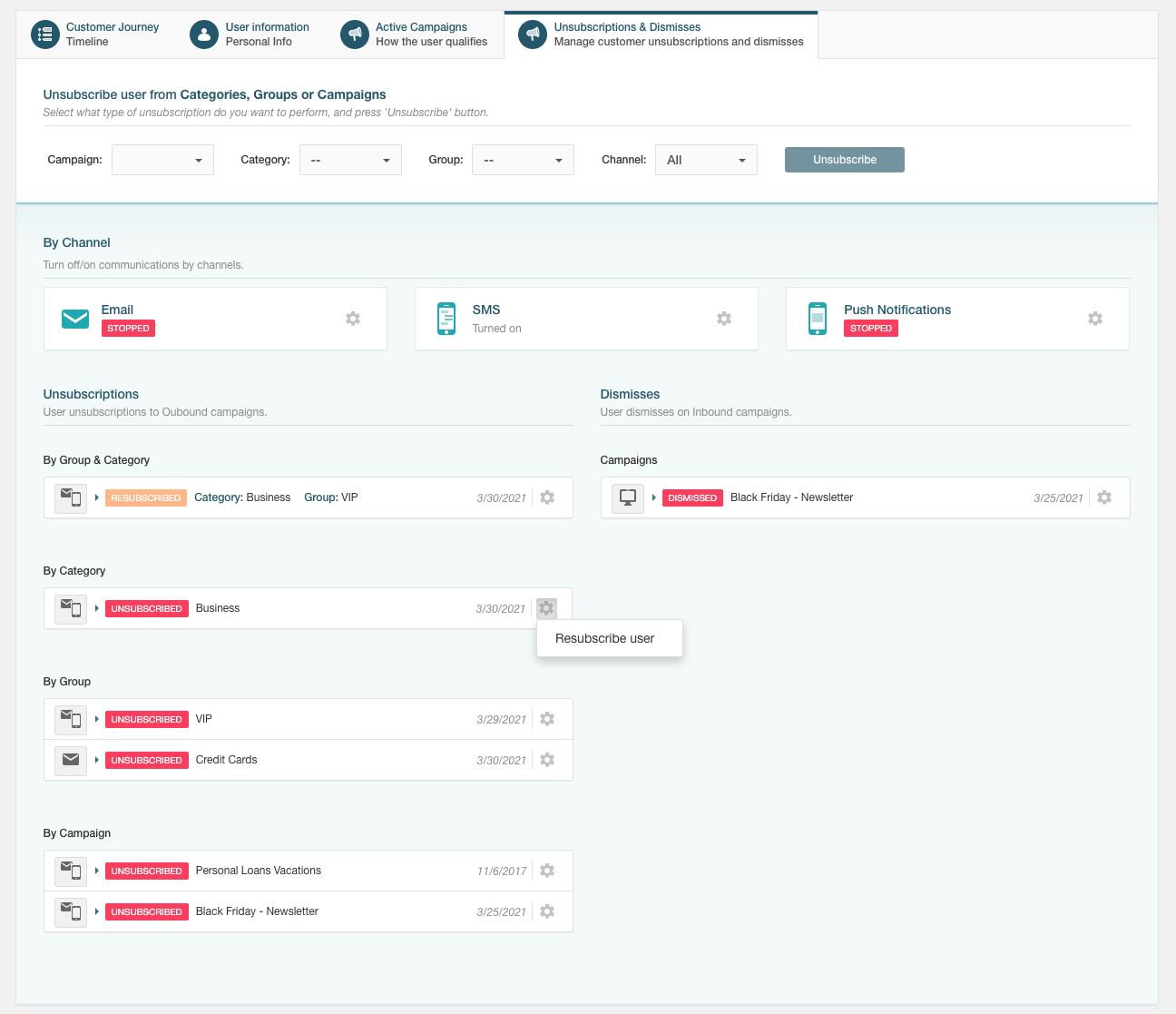
Browse to the canceled subscription you want to change, click the gear icon and then on Resubscribe user:

Unsubscribing Manually
If you want to manually remove a customer from a campaign or category, use the top level form. Select the different dimensions to unsubscribe the customer from and click Unsubscribe.

 Related Articles
Was this article helpful?
On this page