
Enabling Subscription Cancellation in a Campaign
When a campaign uses email as an outbound channel, it is usually mandatory to include a way for canceling the subscription according to the regulations of the country where the recipient resides. In Prisma Campaigns, canceling subscriptions is a feature that can be enabled for each campaign individually.
You can unsubscribe from the campaign in question, from all campaigns in the same category, from all campaigns in the same group, from all campaigns in the same category and group, or from everything.
To allow for canceling subscriptions, follow these steps:
Go to Campaigns and click on the campaign of interest.
Select Settings from the top right:

Select the Unsubscribe & Dismiss tab:
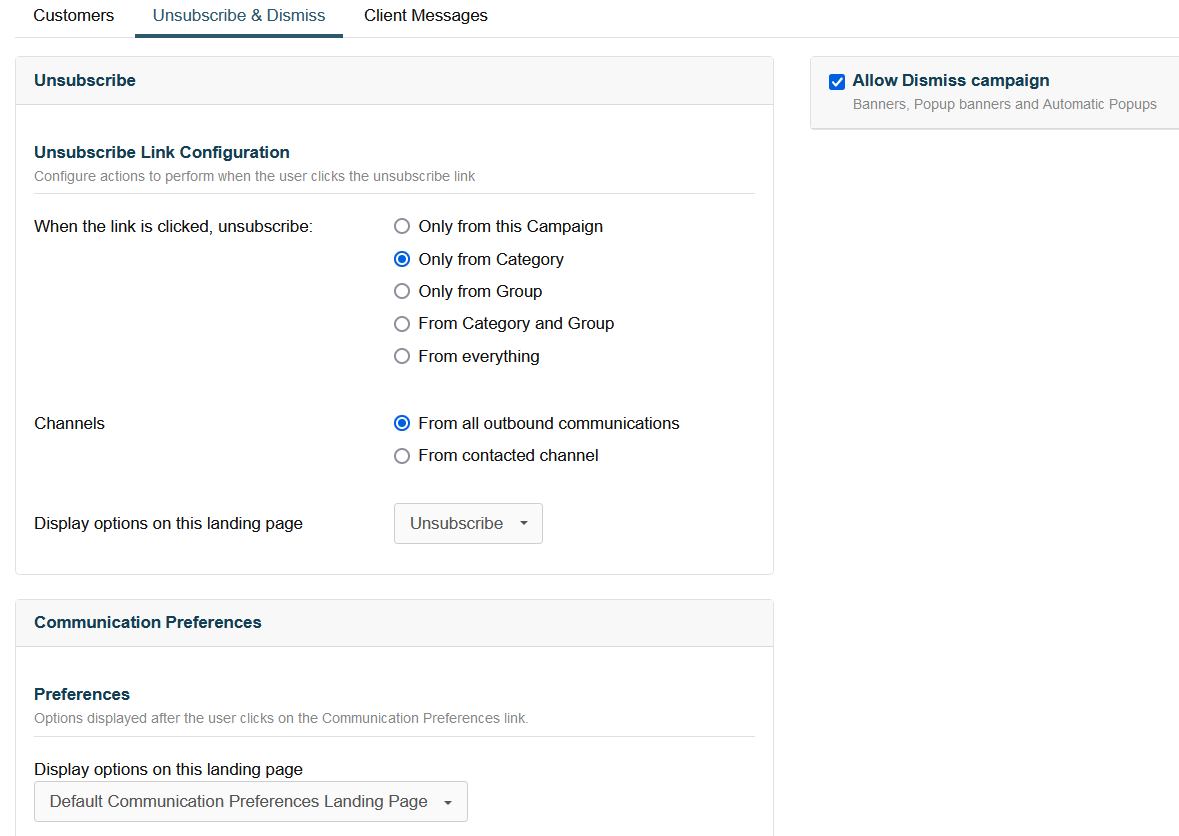
Select the desired behavior for the unsubscribe link:
Option Description Only from this Campaign All future communications from the current campaign Only from Category All campaigns matching this category Only from Group All campaigns matching this group From Category and Group All future communications from the current category and group From Everything All future communications In the Channels section, you can further restrict whether to unsubscribe from all outbound communications or only from specific channels (email, SMS, push notifications, to name a few examples).
Choose a landing page that includes the
{{plugin.unsubscribe}}plugin for the unsubscribe options. Note that the following image shows the code of the Unsubscribe page, the same that is selected above.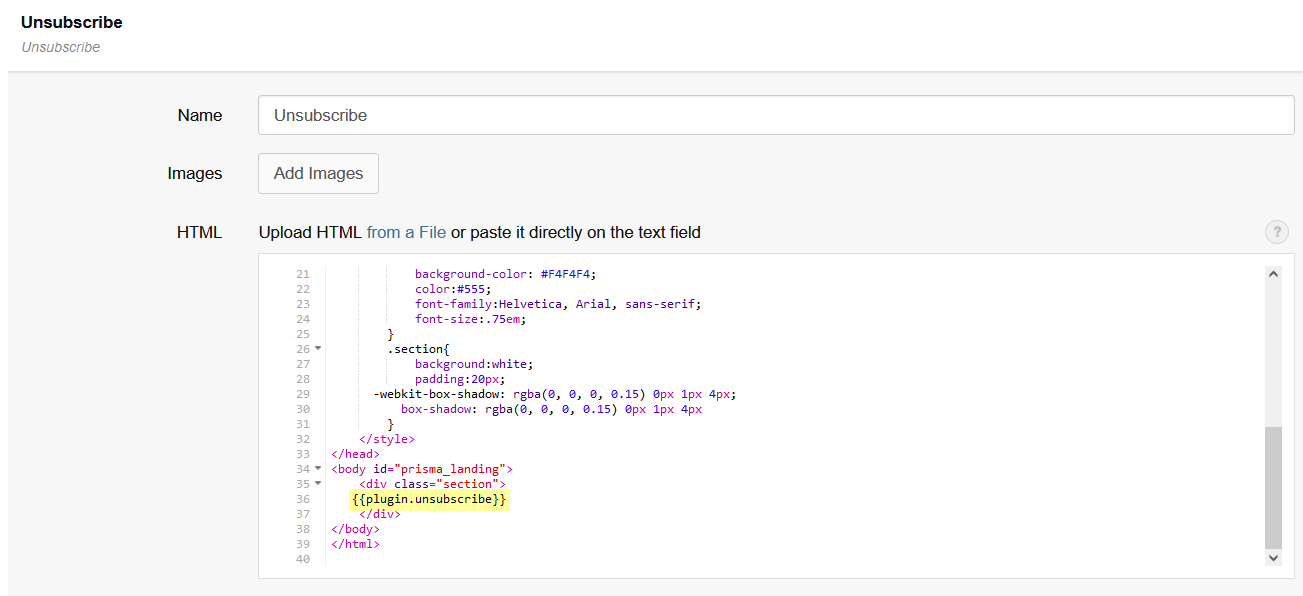
Optionally, check the Allow Dismiss campaign checkbox. This option allows the recipient to dismiss the campaign without unsubscribing from it.
 Related Articles
Was this article helpful?