Google Tag Manager Integration
Google Tag Manager (GTM) is a tag management platform that allows you to send data to dozens of external tools —Google Analytics, Meta Ads, CRM platforms, and many others— without having to modify the application’s source code each time.
Prisma Campaigns integrates with GTM to leverage campaign funnel events across analytics, advertising, and automation tools.
How Prisma Campaigns Sends Events to GTM
Every time a customer advances to a new funnel step, Prisma Campaigns pushes the following structure to the browser’s dataLayer:
window.dataLayer = window.dataLayer || [];
window.dataLayer.push({
  event: 'funnel_step',
  campaign_id: '<campaign id>',
  step_name: '<step name>',
  position: <step position number>,
  customer: '<customer id>'
});
The event is named funnel_step and contains four variables that describe the context of the step:
| Variable | Description |
|---|---|
campaign_id |
Unique identifier of the campaign |
step_name |
Name of the funnel step |
position |
Numeric position of the step within the funnel |
customer |
Customer identifier |
These events can be captured by GTM and used as triggers to execute any configured action.
Configuration in Google Tag Manager
Variables
The first step is to define in GTM the variables that will read values from the dataLayer. In the Variables section, you can see the available built-in variables and the user-defined ones.
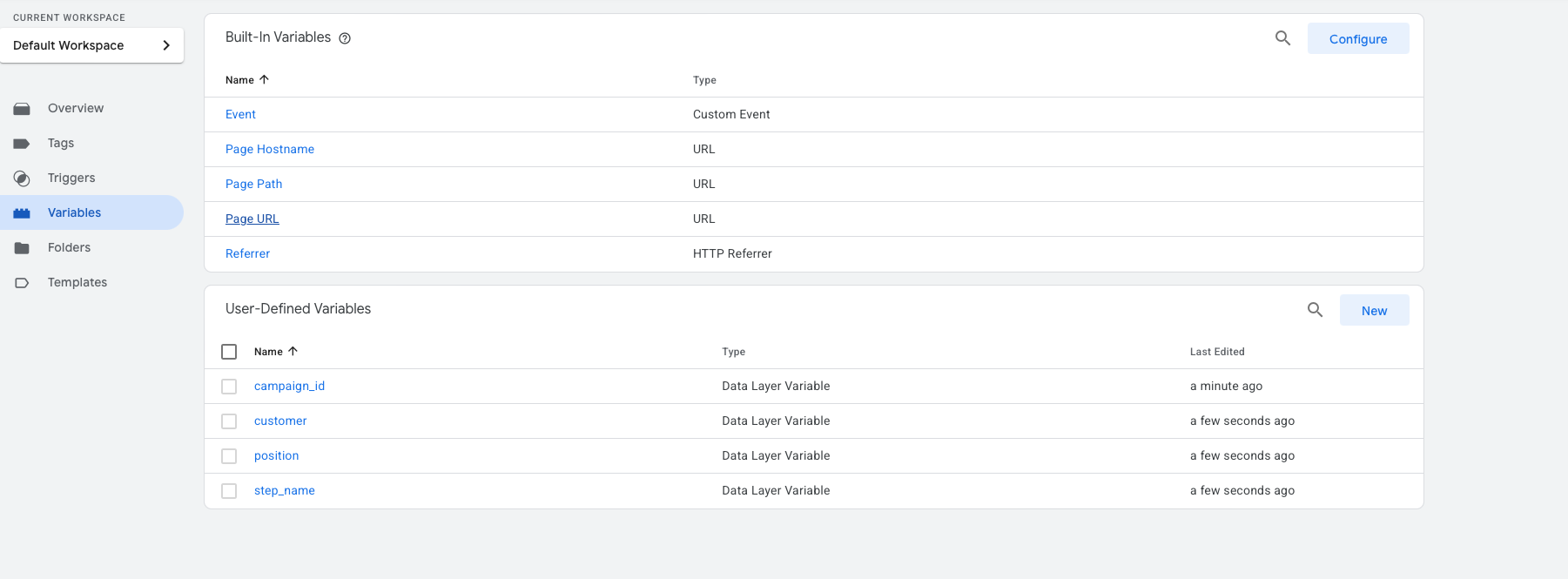
For each of the four event fields (campaign_id, customer, position, step_name) you must create a variable of type Data Layer Variable. The configuration of each one is straightforward: simply provide the exact field name as it appears in the dataLayer.
For example, the step_name variable is configured as follows:
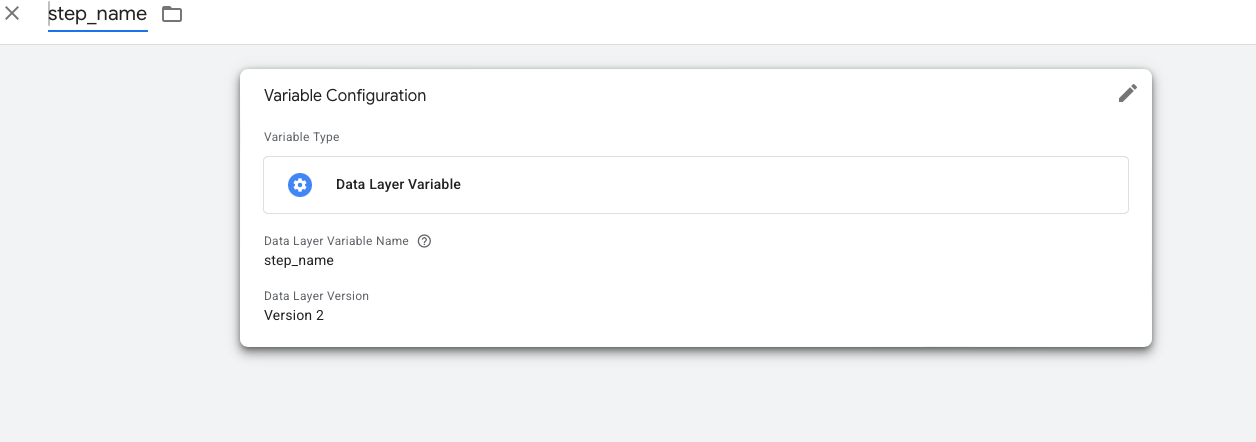
Repeat this process for campaign_id, customer, and position.
Trigger
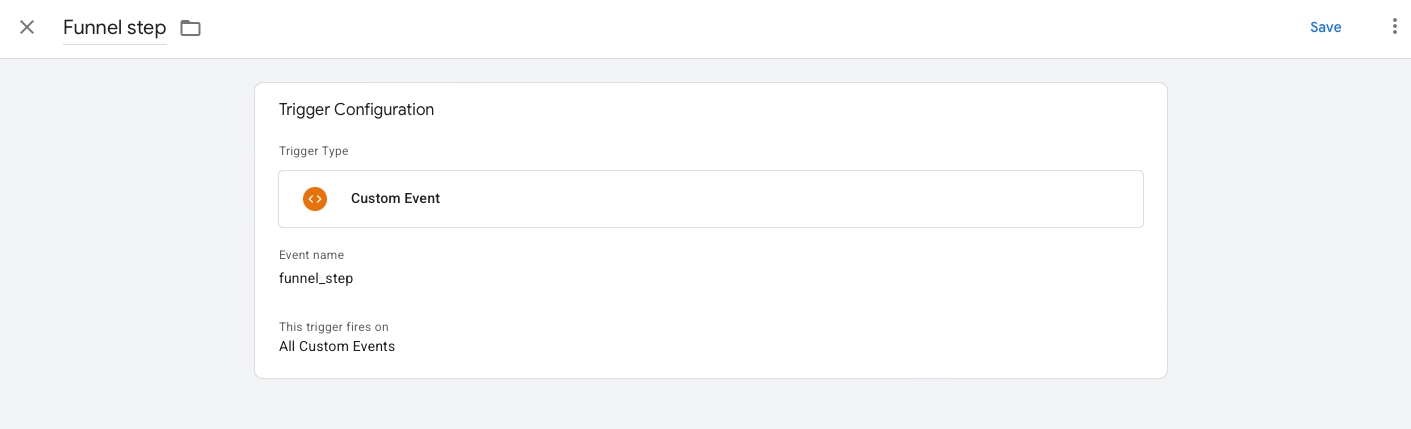
Once the variables are defined, you need to create a trigger that fires tags whenever the funnel_step event arrives. The Triggers section shows the already created trigger:
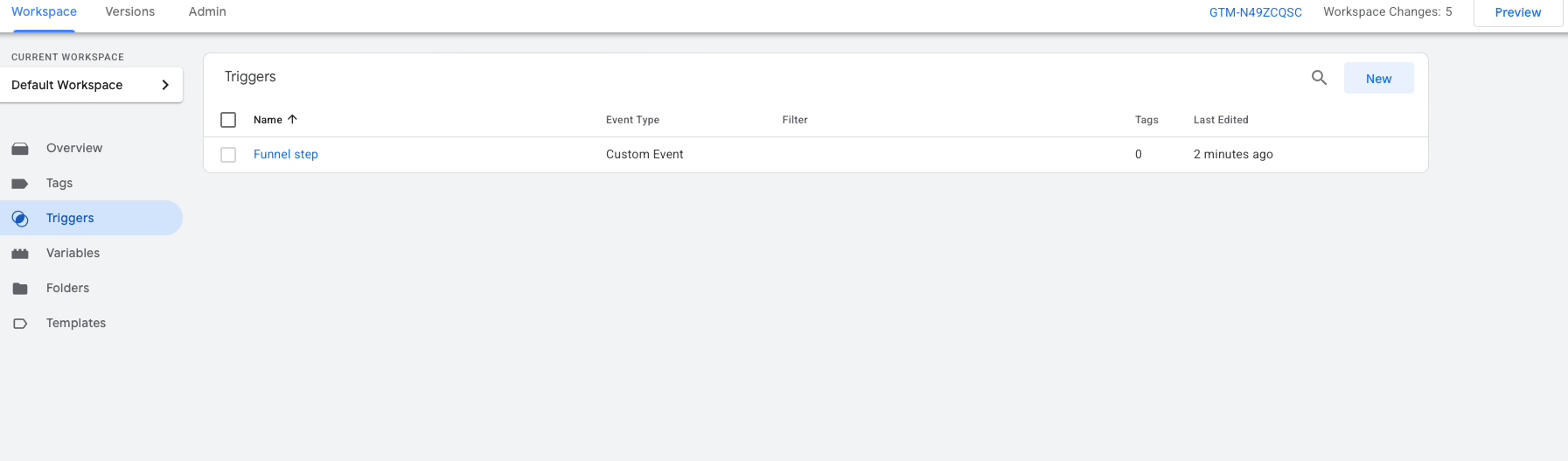
This trigger is of type Custom Event, with the event name funnel_step, and is configured to fire on all events of this type:
Example Tag: Custom HTML
With the trigger and variables configured, you can create any type of tag in GTM. As a practical example, the following Custom HTML tag logs each received event to the console along with its variables:
<script>
console.log("GTM funnel_step received", {
  campaign_id: {{campaign_id}},
  step_name: {{step_name}},
  position: {{position}},
  customer: {{customer}}
});
</script>
This same pattern can be replaced with a Google Analytics 4 call, a Meta pixel, a webhook, or any other integration available in GTM.
Verification in Preview Mode
GTM includes a Preview mode that lets you verify in real time which events are being received and which variables are available. When navigating through the funnel of an active campaign, the GTM panel will display the funnel_step event along with the values of each variable:
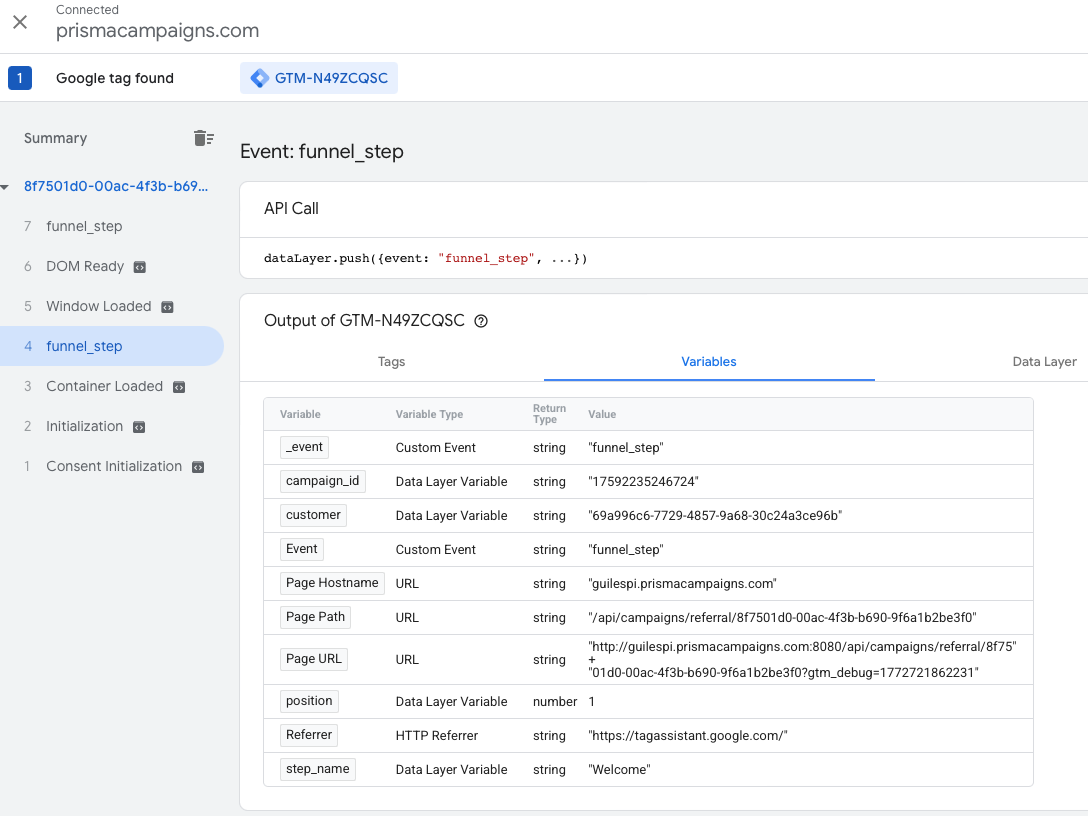
From this view you can also inspect the full dataLayer to confirm that the data arrived correctly before publishing any changes.
Use Cases
Once the funnel_step event is available in GTM, the possibilities are broad:
- Google Analytics 4: send a custom event for each funnel step to measure conversion and drop-off rates.
- Meta Ads / Google Ads: fire a conversion pixel when the customer reaches a key step.
- CRM platforms: notify external systems about the customer’s progress.
- Heatmap or session tools: record the campaign context alongside session recordings.
The GTM integration turns every Prisma Campaigns funnel step into an actionable event within the organization’s digital marketing toolset.
Related Articles
On this page