
Website Integration
Last updated:
< 1 min read
operations
This article details how to perform the initial integration with an existing website. This functionality is provided through a JavaScript library that is installed along with Prisma Campaigns.
To achieve this goal, follow the steps below:
Create a new application in Settings/Applications by clicking on New Application.
Enter a descriptive name and choose JavaScript in the platform list:
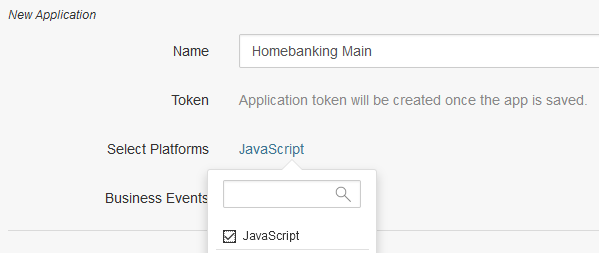
Save the changes to generate the internal token through which Prisma Campaigns will identify the current application.

Click the eye icon to view the integration code:
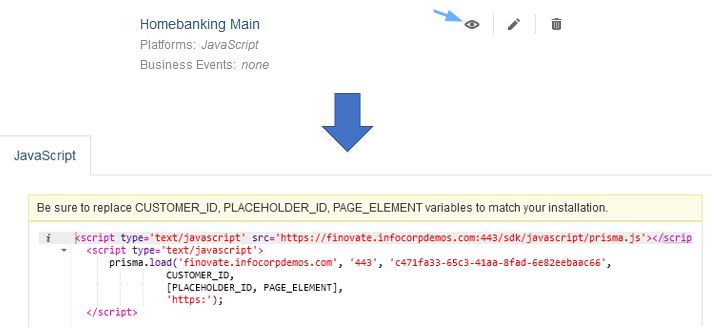
Enter the code in the destination page and replace CUSTOMER_ID and the integration array that consists of PLACEHOLDER_ID and ELEMENT_ID with the corresponding data.
 Related Articles
Was this article helpful?